Twitter / X
How to download Ghibli Studio Style images from Grok?
By Yash Dutta ·
Studio Ghibli’s charming art style has won over audiences globally, motivating many to reproduce its wonder. As AI image-generation tools have emerged, creating Ghibli-inspired artwork has grown more available than before. This article shows how to use Grok AI to create and save Studio Ghibli-style images without cost.
How to download Ghibli Studio style images from Grok?
- First, follow this guide to generate Studio Ghibli style images for free with Grok.
- Once it’s completely generated, scroll to the bottom of the image there, you will see a share button.
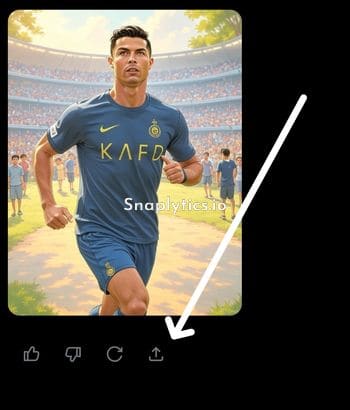
- Tap it, then tap on the copy link button to copy the share URL.
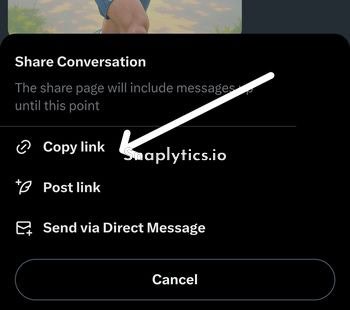
- Now open our X image downloader, and paste the Grok share URL and tap on download.
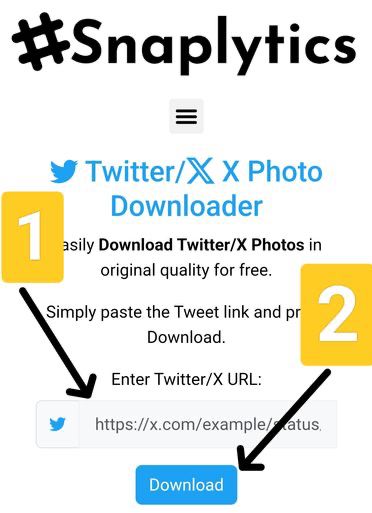
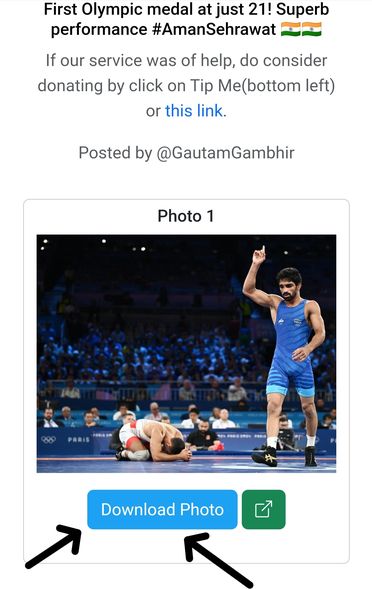
- Wait a few seconds, and your images with download buttons will be available.
- Then, you can tap on the download buttons to save the images directly to your device.
Tips for Creating Stunning Ghibli-Style Art
To make the most of Grok’s Ghibli-style image generation abilities:
- Be specific in your prompts, describing main elements of Ghibli art such as rich landscapes, playful characters, or enchanted creatures.
- Try various prompts to improve your results.
- Use Grok’s real-time scanning option to keep informed on popular topics and add them into your art.